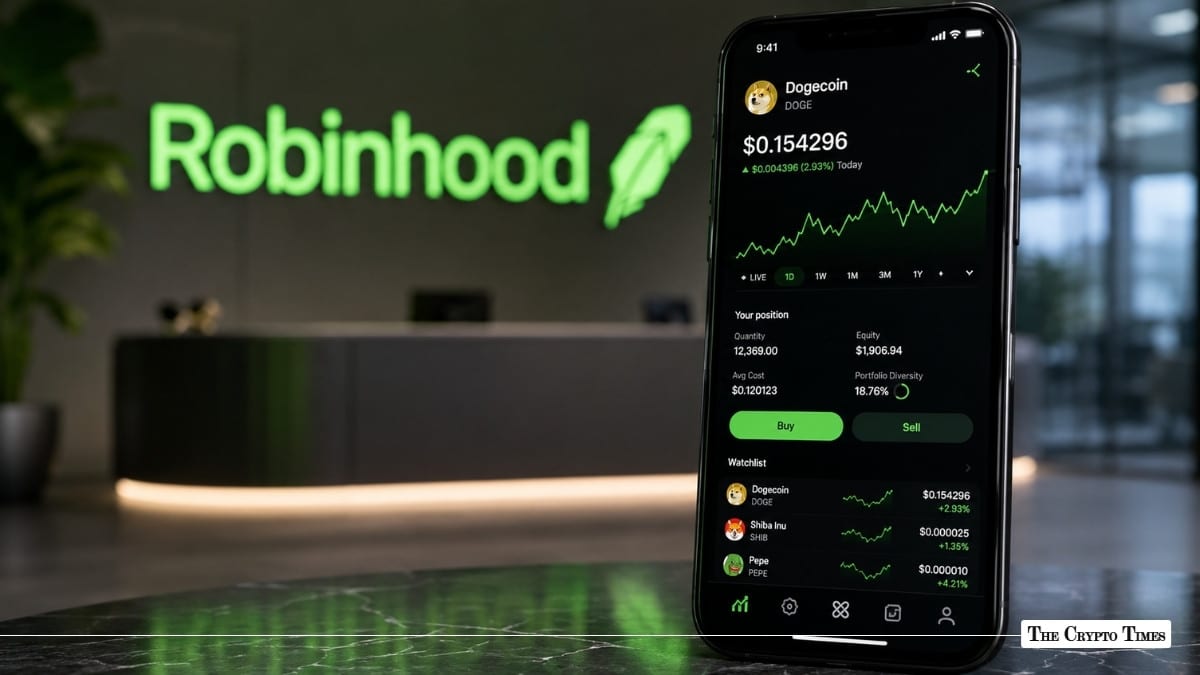
Robinhood Chain is Robinhood’s permissionless Layer 2 blockchain built for financial services, tokenized real-world assets (RWAs), and decentralized finance (DeFi). Robinhood officially announced the public mainnet on July 1, 2026, describing the chain as an Arbitrum-based Layer 2 built for a permissionless onchain financial ecosystem.
For crypto users, Robinhood Chain opens another venue for onchain trading. While the network’s main focus is tokenized assets and DeFi, meme coins have also started appearing on the chain. One early example is Cash Cat, or CASHCAT, which CoinGecko lists as tradable on Uniswap V3 on Robinhood Chain.
This guide explains how beginners can buy meme coins on Robinhood Chain using Robinhood Wallet or a decentralized exchange such as Uniswap. It also covers funding, bridging, contract verification, slippage, selling, and the risks users should understand before trading.
This is not financial advice. Meme coins are highly speculative and can lose most or all of their value.
What is Robinhood Chain?
Robinhood Chain is an Ethereum Layer 2 blockchain built using Arbitrum technology. Robinhood says the network is designed to support tokenized real-world assets, DeFi applications, self-custody, bridging, lending, and other onchain financial products.
Robinhood’s documentation describes Robinhood Chain as an Arbitrum Layer 2 built on Ethereum, using ETH as the native gas token. This means users generally need ETH on Robinhood Chain to pay transaction fees when sending, swapping, bridging, or interacting with applications.
Robinhood Chain is also EVM-compatible, which means it can support Ethereum-style smart contracts, wallets, tokens, and decentralized applications. For users, this makes Robinhood Chain feel similar to other EVM networks such as Ethereum, Arbitrum, Base, Optimism, or Polygon.
Why are meme coins appearing on Robinhood Chain?
Meme coins often follow liquidity, new user activity, and social media attention. Since Robinhood Chain launched with built-in DeFi integrations, DEX support, and Robinhood Wallet connectivity, it gives traders a new place to launch, swap, and speculate on tokens.
Uniswap has gone live on Robinhood Chain with Uniswap v2, v3, v4, and UniswapX. Uniswap says it serves as the primary public AMM on Robinhood Chain, with support through the Uniswap Web App, Wallet, and API from day one.
This matters because meme coins usually trade through decentralized exchanges first. If a meme coin is not listed on a centralized exchange, users may still be able to buy it through an onchain liquidity pool, provided the token, network, and liquidity are available.
Important risks before buying meme coins
Meme coins are among the riskiest crypto assets. Many have little or no utility, depend heavily on social media hype, and can move sharply in both directions. Charles Schwab lists extreme price swings, scams, rug pulls, compromised wallets, limited liquidity, and regulatory uncertainty as key meme coin risks.
FINRA also warns that crypto assets are risky and often extremely volatile, and that investor protections may not apply in the same way they do for traditional securities.
Before buying any meme coin, users should remember:
- Only use money you can afford to lose completely if the coin crashes.
- Always verify the token contract address.
- Never share your seed phrase or private key.
- Avoid random links from Telegram, X, Discord, or DMs.
- Start with a small test transaction.
- Check whether you can sell before buying a larger amount.
Meme coins on a new chain can have thin liquidity, high slippage, and a higher risk of fake tokens.
Step 1: Set up a compatible wallet
The easiest option for most users is Robinhood Wallet. It is different from the main Robinhood brokerage app and works as a self-custody crypto wallet. Robinhood says its self-custody wallet and related services are offered through Robinhood Non-Custodial, and crypto held through Robinhood Self-Custody Wallet is not FDIC or SIPC protected.
To get started:
- Download Robinhood Wallet from the official App Store or Google Play listing.
- Create a new wallet or import an existing wallet.
- Back up your recovery phrase securely.
- Do not store your seed phrase in screenshots, cloud notes, emails, or chat apps.
- Do not share your seed phrase with anyone, including people claiming to be support agents.
Robinhood Wallet supports receiving crypto from other self-custody wallets on several networks, including Ethereum, Bitcoin, Solana, Dogecoin, Arbitrum, Polygon, Optimism, Base, and Robinhood Chain.
Can you use MetaMask?
Yes, advanced users can use MetaMask or another EVM-compatible wallet by adding Robinhood Chain manually.
Robinhood’s official developer documentation lists the mainnet details as:
- Network Name: Robinhood Chain
- Chain ID: 4663
- Currency Symbol: ETH
- Public RPC: RPC Mainnet Robinhood
- Block Explorer: robinhoodchain.blockscout.com
Robinhood’s docs also note that public endpoints are rate-limited and not recommended for production use.
For beginners, Robinhood Wallet may be simpler because it is built around Robinhood’s consumer wallet experience.
Step 2: Fund your wallet
To buy meme coins on Robinhood Chain, you need two things:
- A token to swap from, such as ETH, WETH, USDC, or another supported asset.
- ETH on Robinhood Chain to pay gas fees.
Robinhood Wallet allows users to buy crypto through Robinhood Connect and Sardine where available. Robinhood Connect supports buying crypto with a debit card, bank account, or Robinhood buying power, depending on the user’s region and eligibility.
Users may also transfer supported crypto from a Robinhood Crypto account to Robinhood Wallet. Robinhood says supported transfer networks can include Ethereum, Bitcoin, Dogecoin, Solana, and Polygon, depending on the crypto asset.
Another option is bridging funds from another chain. Uniswap says users can bridge between Ethereum and Robinhood Chain through the Arbitrum portal by selecting Robinhood Chain in the network dropdown. After the bridge completes, users can swap or send tokens through Uniswap interfaces.
Before funding your wallet, check:
- Whether your exchange supports withdrawals to Robinhood Chain.
- Whether the token you are sending exists on Robinhood Chain.
- Whether you have enough ETH for gas.
- Whether the destination address is correct.
- Sending crypto to the wrong network or wrong address can result in permanent loss.
Step 3: Find a meme coin to buy
Meme coins on new chains usually appear first on decentralized exchanges and token trackers. Users may discover Robinhood Chain meme coins through:
- DEX trackers
- CoinGecko token pages
- Uniswap token search
- Project websites
- Official X accounts
- Block explorers
- Community channels
However, discovery is where many beginners make mistakes. A token appearing on a chart website does not automatically mean it is safe. Anyone can create a token with a similar name, ticker, or logo.
For example, CASHCAT is one early Robinhood Chain meme coin example listed by CoinGecko as trading on Uniswap V3 on Robinhood Chain. But this should be treated only as an example of how tokens may appear on the chain, not as a recommendation to buy it.
Also Read: Meme Coin Frenzy on Robinhood Chain: Trader Turns $838 Into a Million on CASHCAT
Step 4: Verify the token contract address
This is the most important step.
A contract address is the unique onchain address of a token. On EVM chains, it usually starts with “0x.” Fake meme coins often copy the same name, logo, and ticker as real tokens, so searching by name alone is unsafe.
Before buying, verify the contract address from multiple sources:
- The project’s official website
- The project’s verified X account
- CoinGecko or another trusted market data site
- The Robinhood Chain block explorer
- The official Uniswap token page
- Community announcements from verified project accounts
- If the contract address does not match across sources, do not trade.
Also check:
- How much liquidity the token has
- Whether liquidity is locked or controlled by one wallet
- Whether a few wallets hold most of the supply
- Whether the token has unusual transfer taxes
- Whether users are successfully selling the token
- Whether the project has a website and active community
Chainalysis explains that rug pulls are common in DeFi and token launches, where developers attract investors and then drain liquidity or abandon the project.
Step 5: Buy the meme coin using Robinhood Wallet swap
The simplest route for beginners is the built-in swap feature in Robinhood Wallet.
Robinhood says users can swap crypto on Ethereum, Solana, Polygon, Arbitrum, Base, Optimism, and Robinhood Chain through 0x API and LI.FI, but only for tokens supported on those networks and available through those providers.
To swap:
- Open Robinhood Wallet.
- Go to Swap.
- Choose the token and network you want to swap from.
- Choose Robinhood Chain as the network if required.
- On the “To” side, search for the meme coin or paste the verified contract address.
- Enter the amount.
- Review the quote, rate, fees, and slippage.
- Confirm the transaction.
Robinhood notes that swap rates may be guaranteed or estimated. If no market maker quote is available, 0x API or LI.FI may route the order through automated market makers to find the best available rate. The order executes only if it falls within the slippage tolerance selected by the user.
After the swap is processed, the token balance should appear in your wallet. If it does not appear automatically, you may need to manually import the token using the verified contract address.
Step 6: Buy the meme coin using Uniswap
Users who want more control can use Uniswap directly.
Uniswap supports Robinhood Chain through its Web App, Wallet, and API. It says anyone can swap, provide liquidity, buy stock tokens, program AI agents, and explore Robinhood Chain through Uniswap.
To buy through Uniswap:
- Open the Uniswap Web App.
- Connect Robinhood Wallet, MetaMask, or another supported wallet.
- Switch the network to Robinhood Chain.
- Choose your input token, such as ETH or WETH.
- Paste the verified meme coin contract address as the output token.
- Review the token warning if one appears.
- Set slippage carefully.
- Review price impact, minimum received, and network fees.
- Confirm the swap in your wallet.
For new or volatile meme coins, slippage may need to be higher than normal. However, setting slippage too high can also lead to a worse execution price. Robinhood explains that slippage is the difference between the quoted price and the execution price, and that high volatility or low liquidity can cause the final price to differ from the initial quote.
Step 7: Check your balance and transaction
After buying, check:
- Your wallet balance
- The transaction hash
- The token contract address
- The amount received
- The price impact
- The block explorer record
If your wallet does not show the token, use the verified contract address to import it manually. Do not import a random token sent to your wallet, as scam tokens may appear unexpectedly.
Step 8: How to sell the meme coin
Selling is the same process in reverse.
- Open Robinhood Wallet or Uniswap.
- Select the meme coin as the token you want to sell.
- Choose ETH, WETH, USDC, or another supported asset as the output token.
- Review liquidity, slippage, and price impact.
- Confirm the swap.
If the sell transaction fails repeatedly, it may be due to low liquidity, slippage settings, network congestion, or a risky token design. Some scam tokens are designed as honeypots, where users can buy but cannot sell normally.
Before buying a larger amount, beginners should test both a small buy and a small sell. This can help identify liquidity or selling issues early.
Robinhood Wallet vs Robinhood app: What is the difference?
The main Robinhood app and Robinhood Wallet are not the same.
The Robinhood app is Robinhood’s brokerage and crypto trading app. It may allow users to buy supported crypto assets directly, depending on region and eligibility.
Robinhood Wallet is a self-custody wallet for sending, receiving, buying, transferring, and swapping crypto across supported networks.
Robinhood Chain is the Layer 2 blockchain network where onchain tokens and DeFi applications can exist.
This distinction matters. Buying Dogecoin, Shiba Inu, PEPE, or another meme coin in the main Robinhood app is not the same as buying a token on Robinhood Chain. If a user wants exposure to meme coins launched or trading natively on Robinhood Chain, they need an onchain wallet and a swap route.
Key safety checklist before buying
Before buying any meme coin on Robinhood Chain, use this checklist:
- Verify the contract address.
- Check liquidity on the DEX.
- Check whether users can sell.
- Check holder concentration.
- Avoid tokens promoted only by anonymous accounts.
- Avoid links from random DMs.
- Start with a small test buy.
- Try a small test sell before increasing exposure.
- Keep ETH for gas.
- Never share your seed phrase.
- Do not approve unlimited token access unless you understand the risk.
- Review slippage and price impact before confirming.
- Avoid buying only because a token is trending.
The Securities and Exchange Commission staff has stated that meme coin analysis depends on the facts and circumstances of each token and how it is offered or sold. This means users should not assume all meme coins are legally or economically the same.
Common beginner mistakes
Buying the wrong token
Many fake tokens use the same name and ticker as trending meme coins. Always verify the contract address.
Ignoring liquidity
A token can show a high price but have very little liquidity. Low liquidity can make it difficult to sell without a major loss.
Setting slippage too high
High slippage can help a swap execute, but it can also lead to a poor price.
Forgetting gas fees
Robinhood Chain uses ETH as the gas token. Without ETH on the chain, transactions may fail.
Trusting influencers blindly
A meme coin can trend on X, Telegram, or Discord and still be unsafe.
Not testing a sell
Before buying more, try selling a small amount. A token that is hard to sell can trap users.
Are meme coins on Robinhood Chain safe?
No. A meme coin is not safe simply because it trades on Robinhood Chain, Uniswap, or any other DEX.
Robinhood Chain provides blockchain infrastructure. Uniswap provides a decentralized trading interface. Robinhood Wallet provides self-custody wallet access. None of these automatically guarantee that a meme coin is legitimate, liquid, secure, or a good investment.
Users are responsible for checking the token, contract, liquidity, slippage, wallet permissions, and exit options.
Final thoughts
Robinhood Chain gives users a new onchain environment for DeFi, tokenized assets, and crypto trading. Since Uniswap and other integrations are available on the network, meme coins can also appear and trade there.
For beginners, the basic process is simple:
- Set up Robinhood Wallet or another compatible EVM wallet.
- Fund it with ETH or another supported asset.
- Verify the meme coin’s contract address.
- Use Robinhood Wallet swap or Uniswap.
- Review slippage, fees, and liquidity.
- Confirm the swap.
- Test selling before increasing exposure.
The most important rule is to avoid rushing. Meme coins can move quickly, but mistakes onchain can be permanent. Always verify before you trade, start small, and treat meme coins as high-risk speculative assets.
Also read: Robinhood Chain Claims 4x Solana Speed With 100ms Blocks
Disclaimer: This article is for educational purposes only and should not be considered financial advice. Crypto assets are volatile, and meme coins carry a high risk of total loss. Always do your own research (DYOR) before buying, selling, or holding any digital asset.