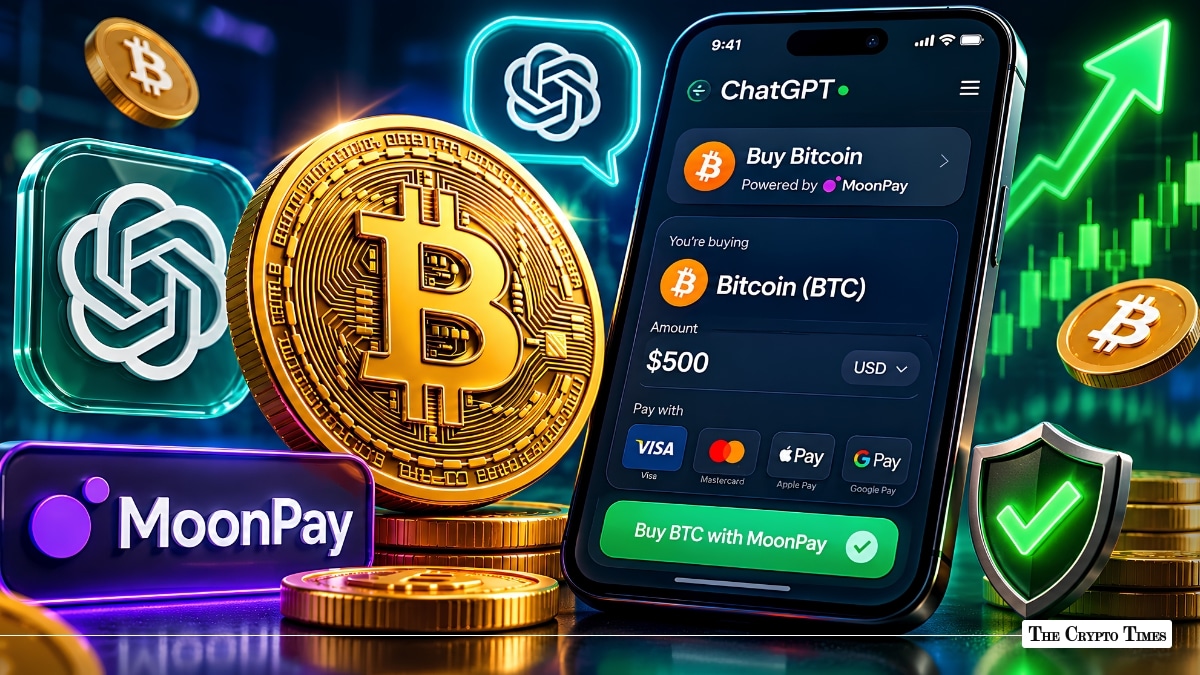
You can now buy Bitcoin directly inside a ChatGPT conversation, no exchange account, no tab switching, and no pasting wallet addresses across multiple windows. MoonPay launched as the first crypto onramp inside ChatGPT’s App Store on May 22, 2026, and the same process works for Ethereum, Solana, XRP, and USDC.
Tell ChatGPT something like “buy $100 of Bitcoin,” and the MoonPay app generates a checkout link in seconds. You click through to MoonPay’s website, paste your wallet address, pick your payment method, and the BTC lands in your wallet.
This guide walks you through every step of this process. It also covers fees, supported assets, payment methods, safety considerations, and the limitations you should understand before your first purchase, whether you’re buying Bitcoin or any other cryptocurrency available through this integration.
What Is the MoonPay ChatGPT Integration?
MoonPay is a crypto payment infrastructure company that lets people buy digital assets using traditional payment methods like credit cards, bank transfers, and mobile wallets. It has been embedded in major wallets such as MetaMask, Ledger, and Trust Wallet for years and serves over 30 million users across 180+ countries.
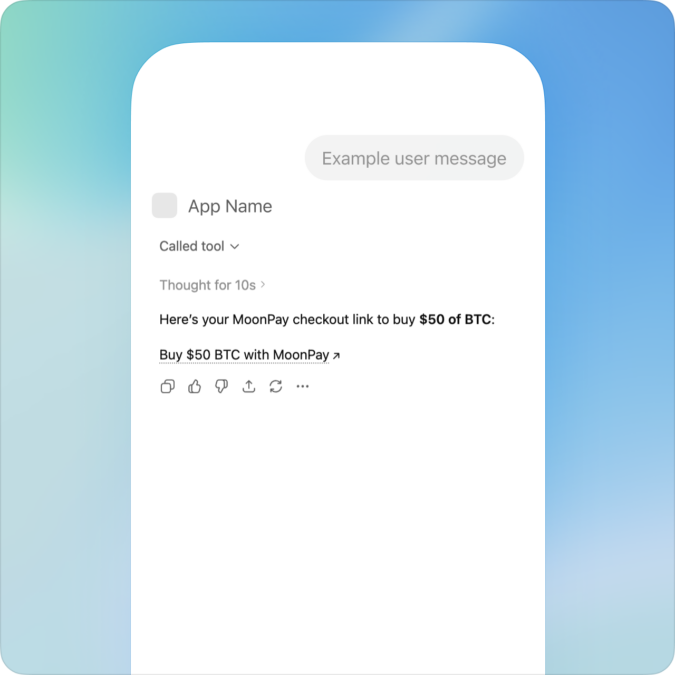
The ChatGPT integration operates as a dedicated app inside OpenAI’s App Store. OpenAI introduced apps in ChatGPT in October 2025 with partners such as Canva, Coursera, Expedia, Spotify, and Zillow, then opened app submissions and discovery through its App Directory. In December 2025, the company rolled out a major interface and SDK overhaul to expand the third-party app marketplace further. MoonPay is the first crypto purchasing tool to go live in that directory.
In practice, you describe what you want to buy in plain language, such as “buy $50 of Bitcoin” or “0.1 ETH,” and the MoonPay app generates a checkout URL. This works similarly to ChatGPT’s Instant Checkout feature for shopping. The link opens in a new tab on desktop or an in-app browser on iOS and Android, where you complete payment, identity verification, and wallet setup on MoonPay’s checkout page.
MoonPay’s product lead Kevin Arifin compared the experience to having a knowledgeable companion that educates you about the asset you’re buying and then provides a direct path to purchasing it, all within the same conversation window.
Also Read: Gemini Introduces Agentic Trading for Automated Crypto Execution
What You Need Before You Start
Before making your first purchase, have these five things ready.
- A ChatGPT account: The MoonPay app lives inside ChatGPT’s App Store. You need an active ChatGPT account to access it.
- A crypto wallet address: While the MoonPay integration removes the need for a separate exchange account, you still need a destination wallet address where your purchased crypto will be sent. MoonPay sends tokens directly to a wallet you specify during checkout. This can be any self-custodial wallet (MetaMask, Phantom, Ledger, Trust Wallet) or an exchange deposit address. Have the correct address copied and ready before you start.
- A compatible payment method: MoonPay accepts credit cards, Apple Pay, Google Pay, and bank transfers. Which methods are available depends on your location.
- Government-issued ID (first-time users only):If you don’t already have a MoonPay account, you’ll go through MoonPay’s standard sign-up flow, which includes Know-Your-Customer (KYC) identity verification—typically uploading a government-issued ID and a selfie. If you already have an existing MoonPay account, you can log in directly and skip this step entirely.
- Residency in a supported country: MoonPay operates in over 180 countries, including the U.S., UK, EU, Australia, and Canada, though some countries and certain U.S. states are excluded due to regulatory restrictions. Verify your eligibility during checkout or on MoonPay’s support page.
How to Buy Bitcoin in ChatGPT via MoonPay (Step-by-Step)
Here is the complete walkthrough. While this example uses Bitcoin, the same steps apply to Ethereum, Solana, XRP, USDC, and other tokens available through the integration.
Step 1: Open ChatGPT and Go to the Apps Section
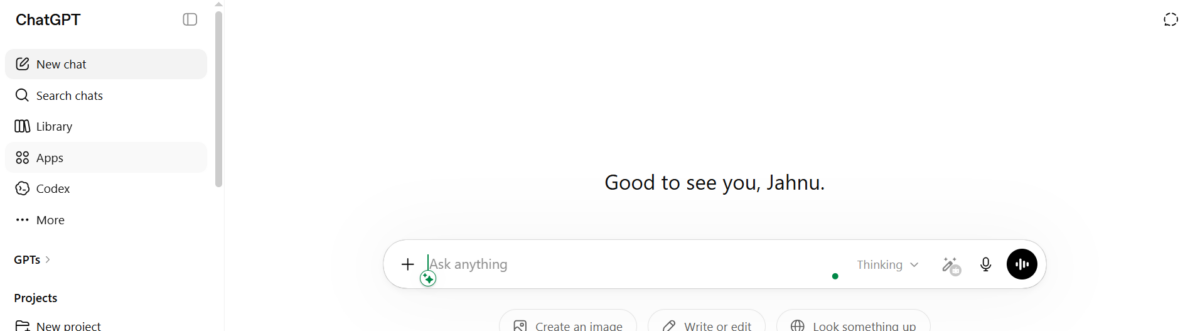
Log in to ChatGPT at chatgpt.com or through the ChatGPT mobile app. Locate the Apps icon within the chat interface to access OpenAI’s third-party App Directory. It is usually in the 4th or 5th place in the left panel of your GPT dashboard.
Step 2: Search for “MoonPay” and Connect the App
In the Apps search bar, type “MoonPay,” select the official app, and connect it to your ChatGPT session. Once connected, the MoonPay tool becomes available inside your conversation.
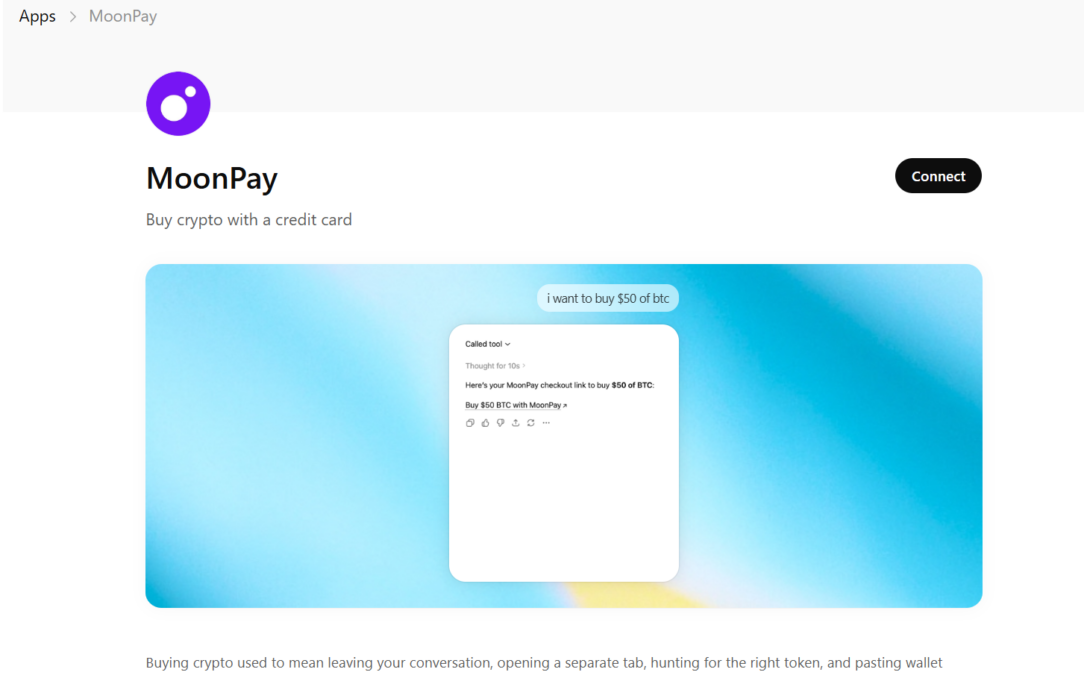
Step 3: Tell ChatGPT What You Want to Buy
Type your purchase request in plain language. Examples that work: “$100 of Bitcoin,” “buy 0.01 BTC,” “I want $250 worth of Bitcoin.” The MoonPay app reads your request and pre-fills the asset, blockchain, and amount.
Step 4: Review the Checkout Link
ChatGPT generates a MoonPay checkout link based on your request. Before clicking, confirm that the asset (Bitcoin), network, and amount match what you intended. If something is wrong, type a correction directly in the chat.
Step 5: Click the Checkout URL
Clicking the link opens MoonPay’s checkout page in a new browser tab on desktop, or in an in-app browser on iOS and Android. This works just like ChatGPT’s Instant Checkout feature for shopping, where a checkout URL opens outside the conversation. The actual transaction, payment processing, and compliance all happen on MoonPay’s side.
Step 6: Sign Up or Log In to MoonPay
If you already have a MoonPay account, simply log in — no additional KYC is required, and you can proceed using your saved payment method. First-time users without an existing MoonPay account will go through the standard MoonPay sign-up flow, which includes identity verification (uploading a government-issued ID and a selfie). This typically takes a few minutes.
Step 7: Paste Your Wallet Address and Choose a Payment Method
This is a critical step. You need to input or paste the Bitcoin wallet address where you want the BTC delivered. Copy the address directly from your wallet app and paste it into MoonPay’s checkout field. Never type it manually, as a single incorrect character means permanent loss of funds. Then select your payment method (credit card, debit card, Apple Pay, Google Pay, or bank transfer) and enter the necessary details.
Step 8: Confirm and Complete the Purchase
Review the final summary showing the BTC amount, fees, and total cost. Confirm the transaction. MoonPay processes the payment and sends Bitcoin to your specified wallet. Most transactions are completed within a few minutes, depending on network congestion.
This Works for Other Cryptos Too, Not Just Bitcoin
While this guide uses Bitcoin as the primary example, the MoonPay ChatGPT app is not limited to BTC. The ChatGPT integration natively supports Bitcoin (BTC), Ethereum (ETH), Solana (SOL), XRP, and USDC as its core launch assets. MoonPay’s broader platform supports 100+ tokens across 30+ chains, and availability through the ChatGPT app may expand over time.
The only thing that changes is your prompt. Instead of “buy $100 of Bitcoin,” you would type “buy $100 of Solana,” “get USDC on Solana,” “0.5 ETH,” or “$50 of XRP.” ChatGPT and the MoonPay app handle the rest.
For tokens like USDC that exist on multiple networks, specifying the chain in your prompt, such as “USDC on Solana” or “USDC on Ethereum,” routes the purchase to the correct blockchain automatically.
Supported Cryptocurrencies, Chains, and Payment Methods
Core Launch Assets on the ChatGPT App
The MoonPay ChatGPT integration highlights the following cryptocurrencies at launch:
| Token | Ticker | Supported |
|---|---|---|
| Bitcoin | BTC | ✅ |
| Ethereum | ETH | ✅ |
| Solana | SOL | ✅ |
| XRP | XRP | ✅ |
| USD Coin | USDC | ✅ |
MoonPay’s broader platform supports over 100 additional tokens (including DOGE, MATIC, AVAX, LTC, and USDT) across 30+ blockchain networks. Additional assets may become available through the ChatGPT app as the integration evolves.
Payment Methods
| Payment Method | Availability | Typical Fee Range |
|---|---|---|
| Credit / Debit Card | Most supported countries | 3.5% – 4.5% |
| Apple Pay | iOS devices, supported regions | 3.5% – 4.5% |
| Google Pay | Android/web, supported regions | 3.5% – 4.5% |
| Bank Transfer (ACH / SEPA) | U.S., EU, UK | 1% – 2% |
| Local Payment Rails (Pix, UPI) | Select countries | Varies by region |
Bank transfers are the most cost-effective option. Card-based and mobile wallet payments are faster but carry higher fees.
MoonPay Fees and Costs Breakdown
Understanding the total cost before you buy is essential. MoonPay’s pricing has several components.
- Service fee: MoonPay charges up to 4.5% per transaction, with a minimum fee that ranges between $3.99 and $4.50. Card purchases typically land at 3.5% to 4.5%, while bank transfers are a cheaper alternative with fees capped closer to 1%.
- Network fee: Every blockchain transaction incurs a network (gas) fee. This varies by chain and congestion level. Bitcoin and Ethereum mainnet fees tend to be higher than Solana.
- Exchange rate spread: Like most fiat-to-crypto gateways, MoonPay includes a spread on the exchange rate. The quoted price may be slightly above the mid-market rate.
- MoonPay Balance (where available): Users outside the U.S. may be able to access MoonPay Balance, which allows fee-free crypto purchases by prefunding an account balance.
Cost Comparison Note: MoonPay’s convenience comes at a premium. For frequent or high-volume buyers, centralized exchanges like Coinbase, Kraken, or Binance will generally offer lower per-transaction costs. MoonPay’s strength is accessibility and speed, particularly for first-time buyers or quick one-off purchases.
Is Buying Crypto Through ChatGPT Safe?
Since the purchase flow spans two platforms, it’s worth examining the security of each layer. Also, before you buy crypto through ChatGPT, read all the terms and conditions.
- ChatGPT does not touch your money: No credit card numbers, bank details, or wallet private keys are entered inside the ChatGPT conversation. The app generates a checkout URL that opens in a separate tab (desktop) or in-app browser (iOS/Android) — similar to how ChatGPT’s Instant Checkout handles Shopify links for shopping. All sensitive financial data is processed entirely on MoonPay’s checkout page.
- MoonPay is regulated: MoonPay brands itself as a fully licensed and regulated platform, authorized by the UK’s FCA, and compliant with regulations across multiple U.S. states. It claims to follow standard AML (Anti-Money Laundering) and KYC procedures.
- Non-custodial model: MoonPay uses a non-custodial approach, meaning users retain control of their assets. Tokens are sent directly to the wallet address you provide — MoonPay doesn’t hold your crypto after delivery. Security of these wallets falls under the user’s own, and they should never share the private key of these with anyone.
- KYC adds a layer of protection: Identity verification may feel like friction, but it helps prevent fraud and ensures compliance with financial regulations in your jurisdiction.
Security Best Practice: Always double-check your wallet address before confirming a purchase. Cryptocurrency transactions are irreversible, if you send tokens to an incorrect address, there is no way to recover them. Copy and paste addresses directly from your wallet application, and verify the first and last several characters match before hitting confirm.
Limitations and Things to Know
The integration is useful, but it has clear boundaries.
- Purchase only — no selling: The current ChatGPT app supports buying crypto only. To sell tokens back to fiat, use MoonPay’s website, mobile app, or a separate exchange.
- You still need a wallet address: While the integration removes the need for a separate exchange account or registration, you still need to input a destination wallet address during MoonPay’s checkout phase. If you don’t already have a wallet, you’ll need to set one up before purchasing.
- No in-chat wallet management: ChatGPT doesn’t display wallet balances, track your portfolio, or handle transfers. Its role ends once the checkout link is generated.
- Regional restrictions: Not all tokens and payment methods are available everywhere. Some countries and specific U.S. states are excluded due to regulatory restrictions. Always verify availability during MoonPay’s checkout.
- Higher fees than exchange trading: Card fees of 3.5% to 4.5% are standard for fiat onramps but significantly higher than maker/taker fees on exchanges. This tool is best for convenience-first buyers, not active traders.
- No personalized financial advice: ChatGPT can answer general educational questions about cryptocurrencies, but the MoonPay app is designed to help mainstream consumers learn how crypto works through conversation, not for providing personalized buy or sell recommendations. All purchase decisions should be based on your own research.
MoonPay vs. Other Crypto Apps on ChatGPT
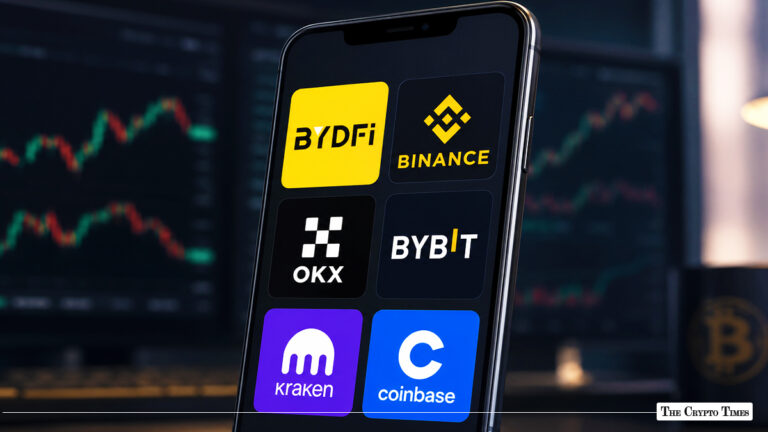
MoonPay joins a growing list of crypto-related apps on ChatGPT, including Kraken, OKX, CryptoAudit, and RealOpen. Here’s how they compare.
| App | Primary Function on ChatGPT | Can You Buy Crypto? |
|---|---|---|
| MoonPay | Fiat-to-crypto onramp | Yes — BTC, ETH, SOL, XRP, USDC + more |
| Kraken | Price data and market info | No (data only) |
| OKX | Blockchain data and queries | No (data only) |
| CryptoAudit | Portfolio auditing tools | No (data only) |
| RealOpen | Real estate + crypto data | No (data only) |
While other apps allow users to query blockchain data and prices, MoonPay is the only one that lets users purchase crypto directly. This makes it uniquely positioned for users who want to go from learning to buying in a single session.
Frequently Asked Questions
Can I buy any cryptocurrency through ChatGPT using MoonPay?
The ChatGPT integration highlights Bitcoin, Ethereum, Solana, XRP, and USDC as its core launch assets. MoonPay’s broader platform supports 100+ tokens, and additional assets may become available through the ChatGPT app over time. Check MoonPay’s asset page for the latest availability in your region.
Do I need a MoonPay account to buy Bitcoin in ChatGPT?
If you already have a MoonPay account, just log in — no KYC is required again, and you can use your saved payment details. First-time users who don’t have a MoonPay account will go through the standard sign-up flow, which includes identity verification with a government-issued ID and a selfie.
Do I need a crypto wallet to use this?
Yes. Even though you skip the traditional exchange registration, you still need a destination wallet address. During MoonPay’s checkout, you’ll need to paste the wallet address where your purchased crypto will be sent. If you don’t have a wallet, set one up first using MetaMask, Phantom, Trust Wallet, Ledger, or a similar provider.
Is the MoonPay ChatGPT app free to use?
Connecting the app is free. Fees are charged only when you make a purchase. These include MoonPay’s service fee (1% to 4.5% depending on payment method), a minimum transaction charge (around $3.99 to $4.50), and blockchain network fees.
Does ChatGPT store my payment information or wallet address?
No. ChatGPT generates a checkout link only. All financial data, wallet addresses, and personal information are entered and processed on MoonPay’s website. OpenAI does not handle any payment data from MoonPay transactions.
Which countries support buying crypto via MoonPay in ChatGPT?
MoonPay is available in 180+ countries, including the U.S., UK, Canada, EU nations, and Australia. Some countries (China, Russia, Afghanistan, and others) and certain U.S. states are restricted. Eligibility is verified during MoonPay’s checkout process.
Can I sell crypto through MoonPay in ChatGPT?
Not at this time. The ChatGPT integration supports purchases only. To sell crypto, use MoonPay’s website, its mobile app, or a separate exchange platform.
What is the cheapest way to buy Bitcoin using MoonPay?
Bank transfers (ACH in the U.S. or SEPA in Europe) carry the lowest fees, typically 1% to 2%. Card purchases cost 3.5% to 4.5%. Where available, MoonPay Balance allows fee-free transactions.
Also Read: How to Buy Gensyn ($AI) Coin: A Step-by-Step Guide for Coinbase Users
Disclaimer:
Some elements of this content may have been enhanced with the help of our artificial intelligence (AI) assistants for purposes such as basic refinement, review, image generation, and translation to deliver high-quality news in a shorter time frame. However, all AI-assisted content is reviewed and approved by our team to ensure accuracy, fairness, and editorial integrity.